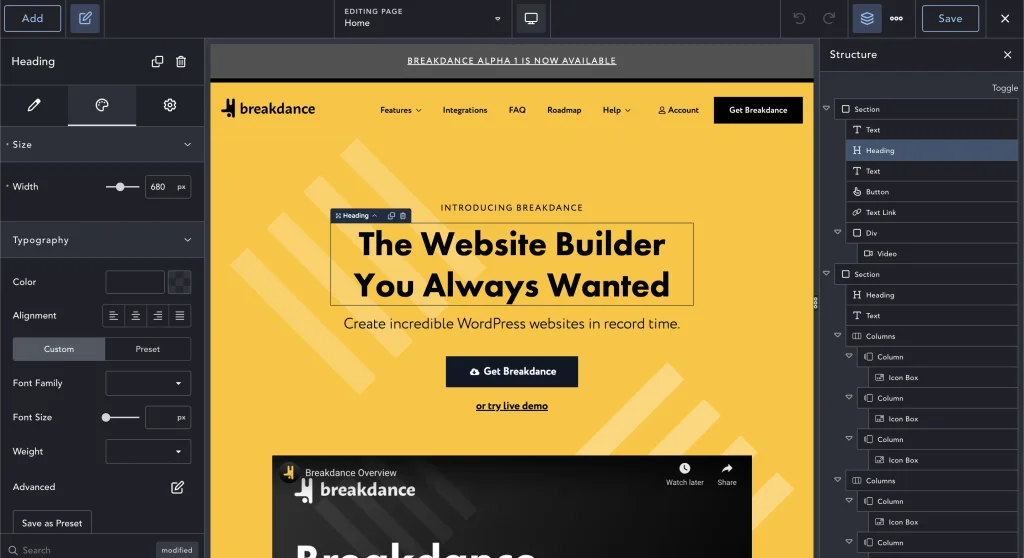
Elementor and Divi have been the two most recognisable names in WordPress page building for over a decade. Most comparisons you’ll find are written by affiliates of one of them, which is worth knowing before you read the conclusion.
I build on both. Here’s the comparison without a winner declared in advance.
The Short Answer
Elementor suits you if you want the largest possible ecosystem of add-ons and integrations, you’re comfortable choosing your own theme, and you may need a third-party widget for something specific later.
Divi suits you if you’d rather have the theme and builder from one supplier, you’re building several sites and the licensing maths matters, or the person editing afterwards would benefit from a more forgiving interface.
Both will build a fast, professional website. Both will build a slow, bloated one. That outcome is decided by how the site is built, not by which of these two is in the toolbar.
Licensing: The Difference That Compounds
This is the most concrete difference between them and the one most comparisons rush past.
Elementor is freemium. The free plugin is genuinely capable; Elementor Pro — which is where the Theme Builder, forms, popups and dynamic content live — is an annual subscription priced per number of sites. Most real business sites need Pro.
Divi is sold by Elegant Themes as a membership covering unlimited sites, available annually or as a one-off lifetime purchase. The unlimited-sites part is the significant bit.
For one website the difference is modest. For anyone running several — an agency, or a business with a few brands — Divi’s unlimited licensing adds up quickly in its favour. For a single site where you want maximum third-party add-on choice, Elementor’s ecosystem may be worth the recurring cost.
Check current pricing on both before deciding. Licensing models change, and this is the variable most likely to have moved since anything you read about it was written.
Performance
Both builders have a reputation for bloat. Both reputations are mostly earned by how they get used.
The honest position: neither Elementor nor Divi produces output as lean as a hand-coded site or a newer builder like Bricks. Both have improved substantially — Divi 5 was a ground-up rewrite of the builder’s architecture, and Elementor has spent several years cutting DOM output and loading assets only where they’re used.
In practice, what makes a page builder site slow is almost never the builder:
- A dozen add-on plugins installed for one widget each
- Unoptimised images, which is still the single most common cause by a distance
- Cheap shared hosting
- Three sliders, two popups and a chat widget on the same page
- No caching configured
Fix those and either builder performs fine. Ignore them and neither will save you.
Templating and Site-Wide Control
Both handle this, and the distinction is about packaging.
Divi’s Theme Builder controls headers, footers, blog post layouts and archive templates from one place, and it comes with the membership. Because Divi is a theme and a builder, there’s no seam between “the theme’s design” and “the builder’s design” — it’s all one system. For keeping a site visually coherent as it grows, that integration is a genuine advantage.
Elementor’s Theme Builder does the same job but lives in Pro, and sits on top of whatever theme you’ve chosen. That’s more flexible — you pick a lightweight theme and Elementor handles the rest — and it’s one more decision to get right.
The Ecosystem
Elementor wins this outright, and it isn’t close. It’s the most-installed page builder by a wide margin, which means:
- Hundreds of third-party add-on packs
- Almost every plugin worth using ships Elementor widgets
- Any problem you have, somebody has already posted the answer
Divi’s community is large and long-established, with a substantial marketplace of its own, but the sheer volume of third-party support around Elementor is unmatched.
That cuts both ways. The easy availability of add-on packs is exactly how Elementor sites end up with nine plugins installed to supply four widgets, which is where the performance reputation comes from.
Who’s Editing It Afterwards?
For most business owners this matters more than anything above.
Divi is generally the gentler introduction. The visual editing model is forgiving, and clients who were nervous about “breaking the website” tend to settle into it quickly.
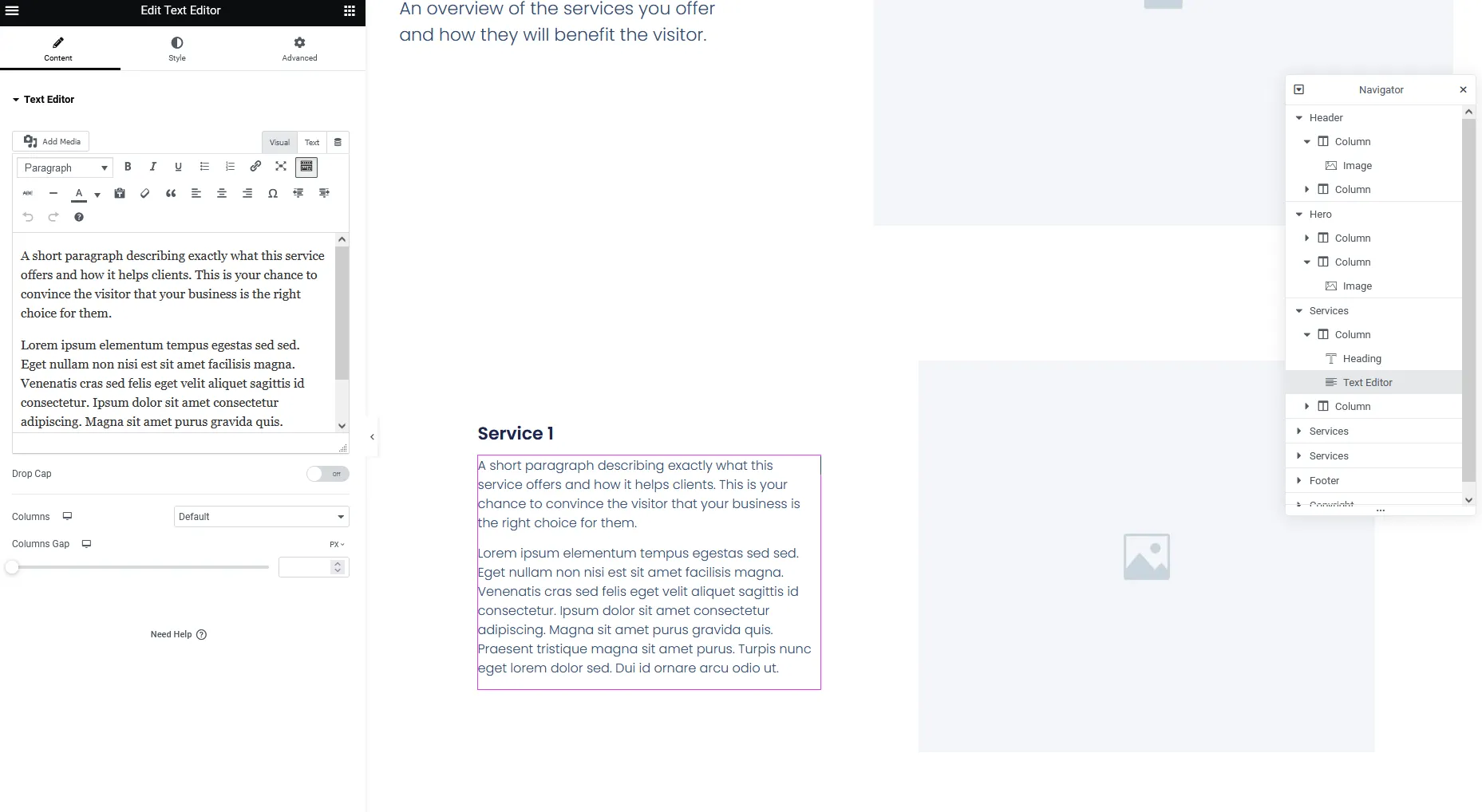
Elementor offers more precise control, with a panel-based interface that’s closer to a design tool. People who enjoy that find it better; people who wanted to change a phone number sometimes find it busier than they needed.
If you’ll be making your own edits, this should carry real weight in the decision. A builder you avoid opening is worse than one with a shorter feature list.
WooCommerce
Both have dedicated WooCommerce builders letting you design shop, product and cart pages to match the rest of the site rather than accepting the default templates. Elementor’s has a slight edge in third-party extension support. For most stores, either is fine — and the platform question matters far more than the builder question, which is covered in Shopify vs WooCommerce.
So Which One?
If I’m starting a new build with no constraints, I’d usually reach for Bricks, which produces cleaner output than either. That’s not a fashionable answer and it’s the honest one.
Between these two specifically:
- Several sites to run, or you want theme and builder from one supplier → Divi
- One site, and you want the deepest add-on ecosystem available → Elementor
- A client who’ll be editing and is nervous about it → Divi, usually
- A design that needs precise control over every breakpoint → Elementor
- You already know one of them → that one. Familiarity beats a marginal feature advantage every time
What genuinely doesn’t work is choosing on a feature-comparison table. Both have far more features than your website will use. The decision that matters is licensing cost across the number of sites you actually run, and who has to live with the editor afterwards.
We build on Elementor, Divi and Bricks, so there’s no house favourite to defend here. If you’d like a recommendation for your specific situation, tell me what you’re building and who’ll be maintaining it.